
Table of Contents
World Map
Layout setup
Useful Commands
Clip Plane (graphics lag fix)
The hardest grind (1-12)
The Meta Leveling Route
World Map
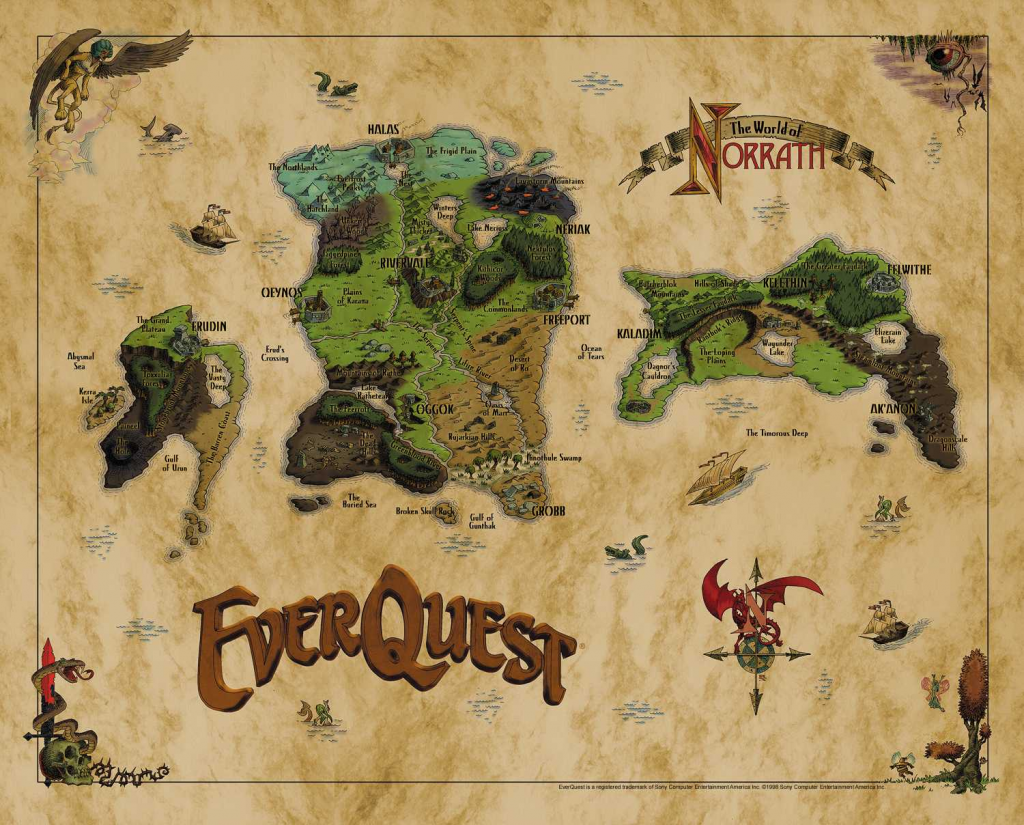
Here’s a the original world map, to give you an overview:
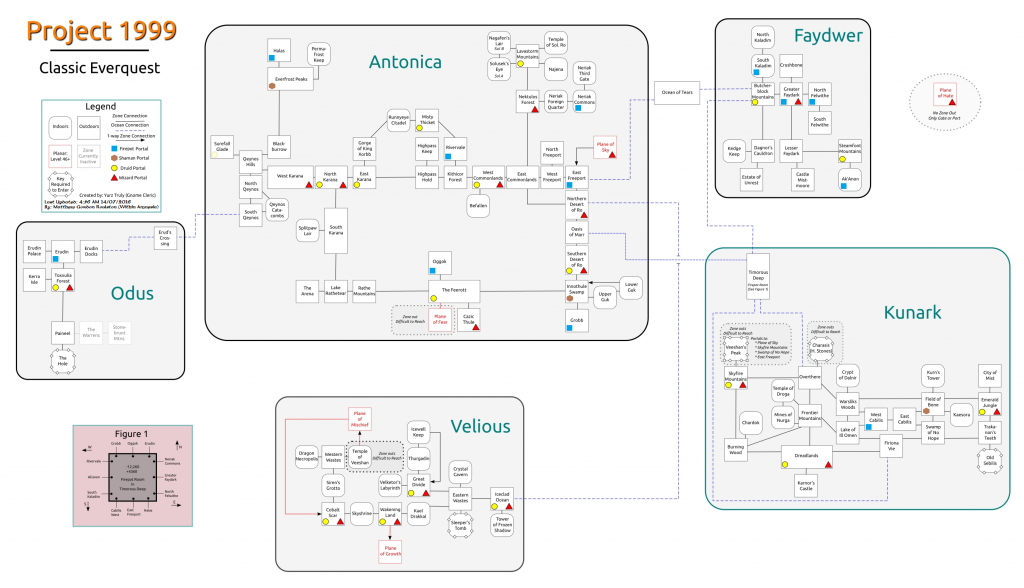
And this is the technical map with zone connections labeled, to help you get from place to place:
Layout setup
Once you’ve got P99 all set up, and you’re logged in. You’re going to have to familiarize yourself with the layout and configuration, as well as some useful commands. That’s what this guide is for!
First. Let’s tackle all the spam going into 1 window:
Star by right clicking your Main Chat window, and Create New Window.
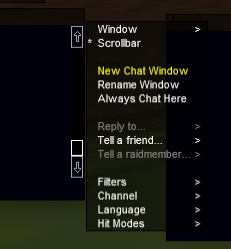
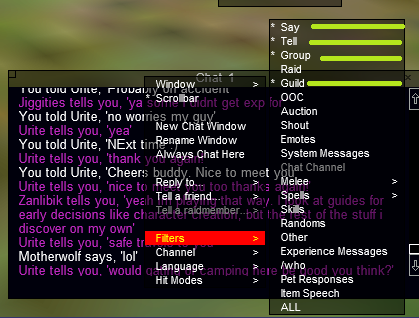
Next, you’ll want to create two windows (for starters). One for spam, and one for communications. So again, right click the window… and select Say, Tell, Group, Guild.
 |
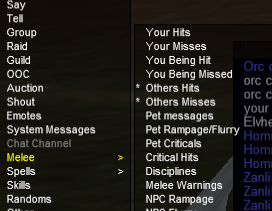 |
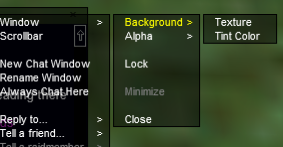
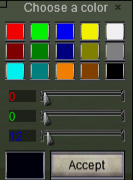
The next thing you’ll want to do (optional) is change the background color of your window. I like dark blue. So again, Right click your window and go to:
Window > Background > Tint Color
 |
 |
Useful Commands
The next thing that’s going to help you out is learning some of the commands that are useful!
/who – /assist – /invite and /disband
/who – tells you who is in zone
/who all (zone shortname) tells you who is in a specific zone
/who all 11 (tells you who is online in the entire world, and is level 11)
Now, put it all together and do:
/who all gfaydark 11 (who is level 11 in Greater Faydark)
or better
/who all gfaydark 10 15 (who is in Greater Faydark, level 10 to 15 range)
Here is a link to all zone shortnames:
https://www.redguides.com/docs/projects/everquest/general/zone-short-names/
Next thing you’ll want to know is how to set up an /assist hotkey
/assist is probably the MOST important thing for grouping
To create a button, you can use the following command:
/hotbutton assist /assist <name>
When grouping, you’ll want to use that hotkey to make sure you’re focusing on the same target as the rest of your group. Otherwise, you might mess up Mesmerize, or even worse: draw aggro and get killed.
Kicker – if you’re a pet class, and you are engaged on the wrong target, make sure you spam /Pet back off and re-engage the target that your group is focusing.
/invite or CTRL + I = invite to group
/disband or CTRL + D = Disband from group
/makeleader <name> = make someone else leader. Works even if they’re not in the same zone.
/q = short for /quit to server select. Your character will remain on server, so don’t use this unless in a safe location. It’s also a common technique for people to prank newbies. Beware any command that someone advises you to make that starts with /q.
/consent – gives another player the ability to move your corpse
Here’s the complete list of all commands you have access to:
https://wiki.project1999.com/Commands
Clip Plane (reduce graphic lag)
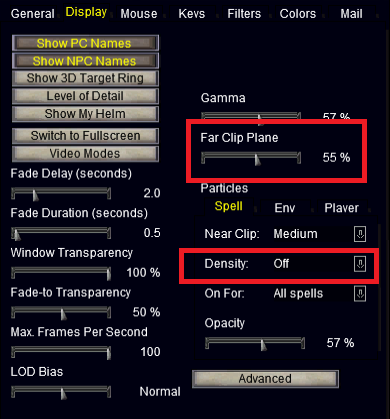
Open up your Options window. Go into the Display tab and lower the Clip Plane. Additionally, you can turn particles (spell graphics down, or off).
The Hardest Grind (1-12)
If you’re brand new to P99/EQ, these are some of the HARDEST levels to get through, as far as learning curve goes. You have zero gear, zero abilities, only a couple spells, and probably no friends to help you. The first thing I’d recommend is doing a little bit of research on your class: https://wiki.project1999.com/Character_Classes
Starting at level 6, you will begin losing experience on every death, which adds another element of the unforgiving nature of the game. If you’ve lost your corpse, Necromancers, Bards, Shadowknights can all help locate it.
Be sure to save items such as bone chips, Crushbone Belts/Pads, Deathfist Belts, Gnoll teeth – they are good experience, or you can sell them (aside from Gnoll teeth. Basically you want to do whatever you can to get at least level 12. That’s when things start to move.
The META Leveling Route
12-30 Unrest
20-40 Mistmoore
40+ City of Mist
50-55ish Karnor
52+ Velk
Really, it’s pretty boring. A lot of people skip over the great zones like Upper Guk (10+), Splitpaw (25+), Cazic Thule 25+, Sol A (20+) and SolB (30+) because nobody is ever there. Do yourself a favor, utilize the /who all command and assemble your own group and go to these zones. They are great xp. Example, if you want to build a group for Sol A — /who all 20 25. And then you can search my class: /who all 20 25 cleric or just change the variable at the ent /who all 20 25 ench. Rinse/repeat/win.